
"Best gaming system" has a different answer at every budget, and any guide that names one machine is really telling you its affiliate deal. The honest answer is a decision tree. Because we track component and desktop prices daily, this version of the tree comes with live numbers instead of last quarter's.
The short version
- Serious budget, willing to tinker → a refurbished business tower plus a used-market or budget GPU. Unbeatable price-to-performance; details below.
- Mid-range and up → build it yourself from parts, priced at their live lows. Best performance per dollar, full upgrade path.
- Zero interest in assembly → a prebuilt or console. You pay an assembly premium for the prebuilt; the console trades flexibility for simplicity. (We track PC prices, so this guide focuses there.)
The budget king: refurbished tower + graphics card
The strongest cheap gaming system in 2026 isn't sold as a gaming system at all. Off-lease business desktops ship with 6-core Core i5 CPUs, RAM, and SSDs at prices like these:
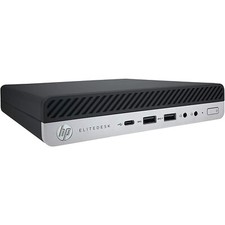

Drop a modest graphics card into the tower version and you have a machine that embarrasses similarly priced prebuilts. (More refurb desktop picks, gaming aside, on the cheap computers page.)
Two things to verify before buying. The case must be a tower or full-size case; micro and tiny units have no room or power for a GPU. And the power supply has to feed the card you're planning: many budget GPUs run on 300-460W units, but check the card's requirement. Current cheapest live card per chipset:
Building it yourself: price the parts at their lows, not their stickers
A self-built system wins on performance per dollar at almost every budget above the refurb tier, if you buy each part near its tracked low rather than in one impatient cart session. That's the entire reason we run live component trackers:
Budget shape for a balanced build: roughly a third of the total on the GPU, then CPU, then everything else. Browse live prices per component: CPUs, GPUs, memory, motherboards, cases, PSUs, cooling, and storage.
Don't forget the display
A gaming system is only as good as the screen it drives, and matching monitor resolution to GPU power is the most common budget mistake in either direction. Our gaming monitor guide covers the pairing logic with live monitor prices.
How to time the purchase
- Buy parts at their individual lows. Component prices move independently; RAM might be at a low the same week GPUs spike. Price history on every product page shows where each part sits.
- Never pay list price for storage or RAM. These two swing the most; the $/TB and $/GB hubs show what the going rate actually is today.
- Set alerts on the expensive parts. Watch the GPU and CPU you want and let the price come to you; fill in the cheap parts whenever.
- Judge prebuilts by their parts. Sum the live prices of the components inside a prebuilt and you'll know exactly what the assembly premium is. Sometimes it's fair, often it isn't.
If money is tight and you can tinker, buy a refurbished tower and add a budget GPU. At any budget above that, build it yourself and buy each part near its tracked low. Buy a prebuilt only after pricing its parts and deciding the assembly premium is worth the convenience.